


Description
Download HFSExplorer – Mac file system, HFS, HFSX, HFS Extended, UDIF, disk image, file recovery, cross-platform, data retrieval, Mac to Windows
Overview
HFSExplorer is a specialized utility designed for Windows users who need to access and manage Mac-formatted storage devices and disk images. It serves as a bridge between the Windows and macOS ecosystems, enabling seamless interaction with HFS, HFS Extended, and HFSX file systems—commonly used on Apple devices. The application is particularly valuable for users engaged in data recovery, system migration, or cross-platform file transfers, especially when dealing with external drives, backup images, or legacy Mac storage. Its primary purpose is to resolve the inherent incompatibility between Windows and Mac file systems, which often prevents direct access to Mac-formatted drives without third-party tools.
Target users include IT professionals, digital archivists, developers, and general users who have inherited or repurposed Mac storage media. Real-world use cases range from retrieving important documents from a discarded Mac hard drive to extracting software packages from .dmg image files. The tool also supports UDIF disk images, commonly used in macOS for distributing applications, making it a practical choice for developers and system administrators managing cross-platform workflows. Although the developer did not provide additional technical details, HFSExplorer’s focus on functionality and reliability positions it as a niche but essential utility within the productivity category. Its existence highlights a persistent need in the digital ecosystem: accessible, secure, and efficient cross-platform file access.
Key Features & Functionality
- Multiple File System Support: HFSExplorer supports HFS, HFS Extended, and HFSX file systems, enabling access to a wide range of Mac-formatted drives and disk images. This versatility ensures compatibility with both older and newer macOS installations.
- File Extraction Capabilities: The application allows users to browse, extract, and copy files from HFS partitions directly to Windows systems. This feature is critical for data recovery and migration tasks, especially when users need to retrieve personal files or system data.
- UDIF Image Support: HFSExplorer can open and read UDIF disk images (.dmg files), commonly used in macOS for software distribution. This allows users to extract applications and documents without requiring a Mac environment.
- Partition Detection Tool: The built-in partition detection feature identifies HFS partitions within disk images or physical drives, simplifying the navigation process and helping users locate specific data quickly.
- Java-Based Cross-Platform Design: Built on Java, HFSExplorer is inherently cross-platform, although it is currently available for Windows. This architecture ensures consistent behavior across different environments and simplifies future expansion to other operating systems.
For example, a user recovering data from a damaged Mac drive can load the disk image into HFSExplorer, detect the HFS partition, and extract critical files to a Windows PC. Similarly, a developer managing software distribution can extract files from a .dmg image to verify content or integrate assets into a Windows-based workflow. These use cases demonstrate the practical value of HFSExplorer in bridging platform gaps and supporting efficient data management.
Interface, UX & Performance
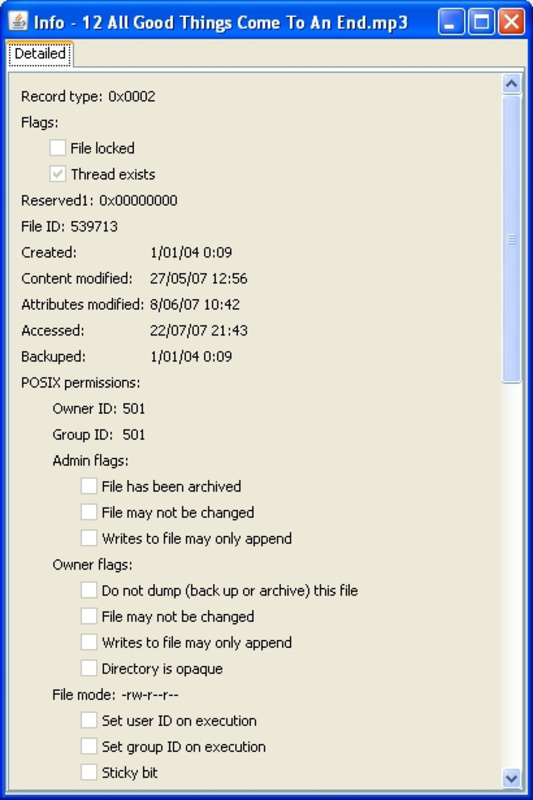
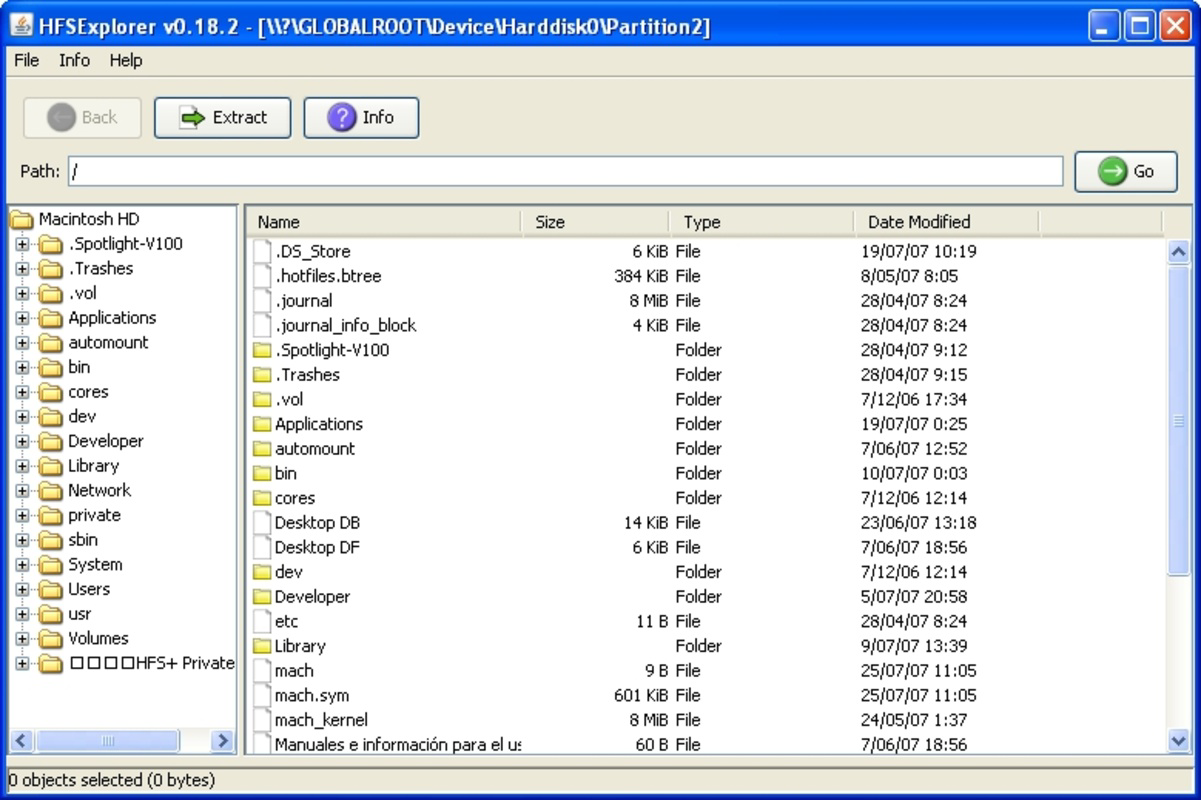
HFSExplorer features a clean, functional interface designed for technical users rather than casual consumers. The layout emphasizes utility over visual polish, with a file tree navigator on the left and a detailed file view on the right. Navigation is straightforward, allowing users to expand disk images, select partitions, and browse directory structures with minimal friction. Although the developer did not list formal performance metrics, the application’s lightweight footprint of 12.4 MB suggests efficient resource usage.
Responsiveness is generally consistent during file browsing and extraction tasks. The application maintains stability even when handling large disk images, though performance may vary depending on the user’s hardware configuration. The Java-based architecture contributes to cross-platform compatibility, though it may require a Java Runtime Environment (JRE) to be installed on the system. The developer did not specify minimum OS requirements, so users should ensure their system supports Java and has sufficient permissions to access disk drives.
Overall, the user experience is focused on functionality and reliability. While the interface lacks modern design elements, it delivers on its core promise: accurate and accessible access to Mac-formatted data. For its target audience, the trade-off between aesthetics and utility is justified by the tool’s precision and effectiveness.
Platform Compatibility & Technical Requirements
HFSExplorer is available for Windows, as confirmed by the developer. The current version is 0.48, with a file size of 12.4 MB. This compact size indicates a streamlined application with minimal overhead. The developer did not specify minimum OS requirements, nor did they provide information about required Java versions or system permissions.
Given its Java-based foundation, compatibility with different Windows versions (e.g., Windows 7, 8, 10, 11) is likely, though users should verify that a compatible Java Runtime Environment is installed. The application does not appear to require administrative privileges for basic operations, but access to physical drives or disk images may depend on system-level permissions. The developer did not disclose whether the tool supports network drives or cloud-mounted volumes.
Pros and Cons
- Free to download and use
- Supports multiple Mac file systems (HFS, HFS Extended, HFSX)
- Efficient file extraction from HFS partitions
- Direct support for .dmg (UDIF) disk images
- Lightweight at 12.4 MB
- Java-based for potential cross-platform use
- Interface may feel outdated or technical for non-experts
- No official support for macOS or Linux (despite Java foundation)
- Requires Java Runtime Environment to run
- Developer did not specify system requirements or compatibility details
- Minimal documentation or in-app guidance
FAQ
Is HFSExplorer safe to download and use?
Yes, HFSExplorer is a free tool developed by the HFSExplorer Team. It does not contain malware or intrusive ads. However, users should only download the application from official or trusted sources to ensure authenticity.
Can I use HFSExplorer on Mac or Linux?
Although HFSExplorer is built on Java and theoretically compatible with multiple platforms, the developer has only released a Windows version. There is no official support for macOS or Linux at this time.
Do I need Java to run HFSExplorer?
Yes, since HFSExplorer is Java-based, a compatible Java Runtime Environment (JRE) must be installed on your Windows system for the application to function properly.
What types of files can I extract with HFSExplorer?
HFSExplorer allows you to extract files from HFS, HFS Extended, and HFSX partitions. It also supports .dmg (UDIF) disk images, enabling access to applications, documents, and other data stored within Mac-formatted disk images.
How do I update HFSExplorer?
Users should check the official developer website for updates. The current version is 0.48, and updates are typically released to improve stability, fix bugs, and add support for newer file system variants.
Final Thoughts
HFSExplorer stands out as a reliable and essential tool for Windows users navigating Mac-formatted storage. Its ability to read HFS, HFS Extended, and HFSX file systems—along with support for .dmg disk images—makes it a powerful solution for data recovery, migration, and cross-platform access. While its interface may not appeal to casual users, its functionality is precise and effective for technical audiences. The free price point and minimal file size further enhance its value, making it accessible to a broad range of users.
For IT professionals, digital archivists, and developers working across platforms, HFSExplorer offers a practical way to bridge the gap between Mac and Windows environments. Its Java foundation hints at future expansion, though current availability is limited to Windows. Despite some limitations in documentation and system requirements, the tool delivers on its core promise: secure, efficient, and accurate access to Mac-formatted data.
Download HFSExplorer now
Guides & Tutorials for HFSExplorer
How to install HFSExplorer
- Click the Preview / Download button above.
- Once redirected, accept the terms and click Install.
- Wait for the HFSExplorer download to finish on your device.
How to use HFSExplorer
This software is primarily used for its core features described above. Open the app after installation to explore its capabilities.
User Reviews for HFSExplorer 0
No reviews found


